

原 使用源码编译来安装PostgreSQL数据库(从PG9.4到PG17各个版本通用)
Tags: 原创PGPostgreSQL安装部署环境搭建快速体验各个版本编译持续更新源码
👉 本文共约1790个字,系统预计阅读时间或需7分钟。
1、安装概述
PG安装方法很多,和MySQL类似,给用户提供很大的选择空间。如:RPM包安装(在线、离线)、源码编译安装、系统自带、二进制、NDB安装等。
官网:https://www.postgresql.org/
rpm包:https://yum.postgresql.org/rpmchart.php
yum源:https://yum.postgresql.org/repopackages.php
源码包:https://www.postgresql.org/ftp/source/
打开 PostgreSQL 官网 https://www.postgresql.org/,点击菜单栏上的 Download ,可以看到这里包含了很多平台的安装包,包括 Linux、Windows、Mac OS等 。

生产库建议源码安装,以下方法已在9.4到17版本测试过。
2、下载源码包
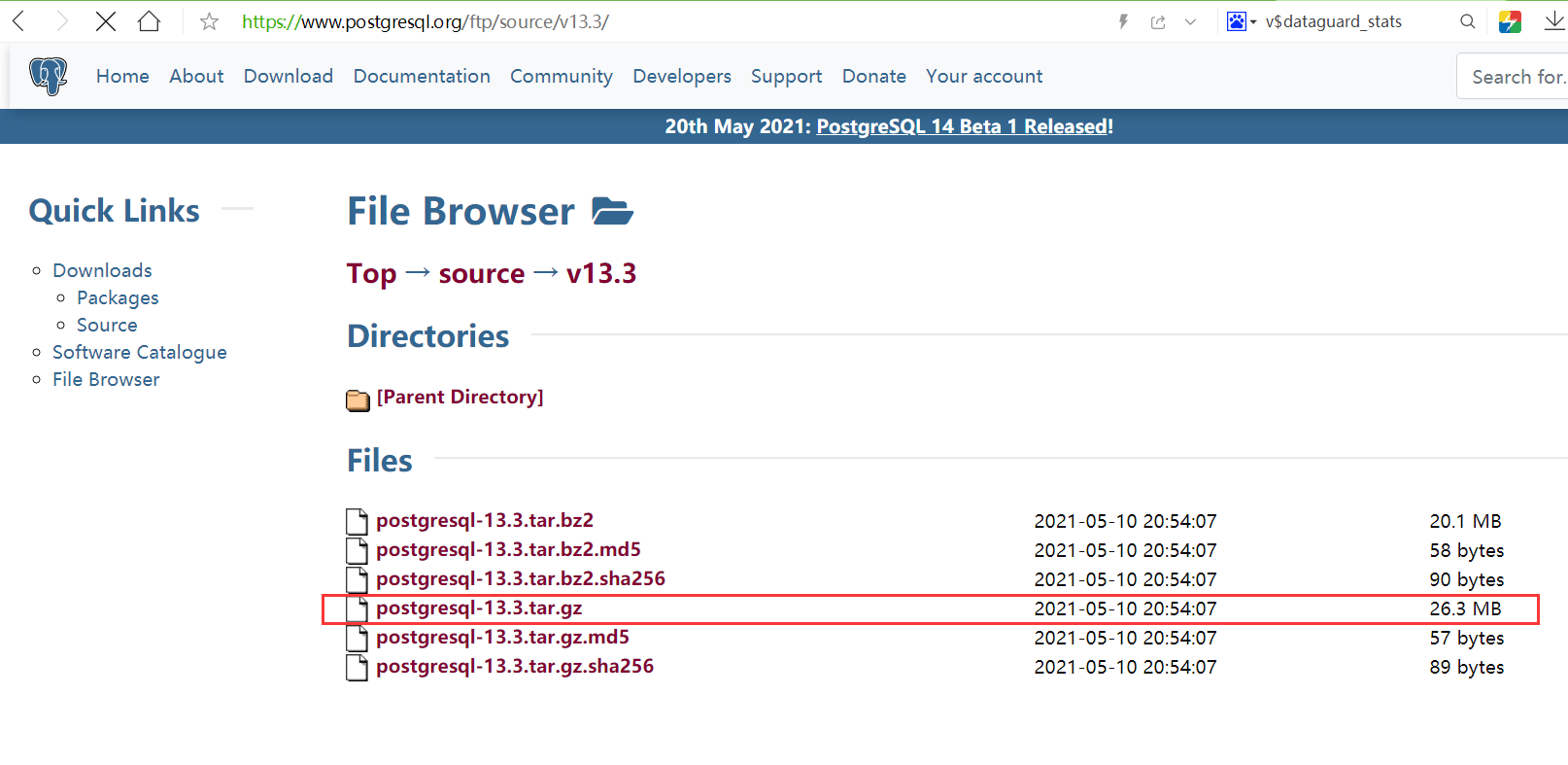
源码下载地址:https://www.postgresql.org/ftp/source/
1 2 3 4 5 6 7 8 9 10 11 12 | -- 下载源码包 wget https://ftp.postgresql.org/pub/source/v17.2/postgresql-17.2.tar.gz wget https://ftp.postgresql.org/pub/source/v16.6/postgresql-16.6.tar.gz wget https://ftp.postgresql.org/pub/source/v15.10/postgresql-15.10.tar.gz wget https://ftp.postgresql.org/pub/source/v14.15/postgresql-14.15.tar.gz wget https://ftp.postgresql.org/pub/source/v13.18/postgresql-13.18.tar.gz wget https://ftp.postgresql.org/pub/source/v12.22/postgresql-12.22.tar.gz wget https://ftp.postgresql.org/pub/source/v11.22/postgresql-11.22.tar.gz wget https://ftp.postgresql.org/pub/source/v10.23/postgresql-10.23.tar.gz wget https://ftp.postgresql.org/pub/source/v9.6.24/postgresql-9.6.24.tar.gz wget https://ftp.postgresql.org/pub/source/v9.4.26/postgresql-9.4.26.tar.gz |
3、创建用户和安装目录
1 2 3 4 5 6 7 8 9 10 11 12 | -- 创建用户 groupadd -g 60000 pgsql useradd -u 60000 -g pgsql pgsql echo "lhr" | passwd --stdin pgsql echo "pgsql ALL=(ALL) NOPASSWD: ALL" >> /etc/sudoers -- 创建目录 mkdir -p /postgresql/{pgdata,archive,scripts,backup,pg15,soft} chown -R pgsql:pgsql /postgresql chmod -R 775 /postgresql echo "pgsql ALL=(ALL) NOPASSWD: ALL" >> /etc/sudoers |
4、编译PG
1 2 3 4 5 6 7 8 9 10 11 12 13 14 15 16 17 18 19 20 21 22 23 24 25 26 27 28 29 30 31 32 33 34 35 36 37 38 39 40 41 42 43 44 45 46 | -- 安装一些依赖包 yum install -y cmake make gcc gcc-c++ perl readline readline-devel zlib zlib-devel \ perl python36 tcl openssl ncurses-devel openldap pam perl-IPC-Run libicu-devel \ libarchive libzstd libxml2 libxml2-devel docbook-dtds docbook-style-xsl libuuid-devel uuid-devel -- 离线安装rpm包 rpm -ivh sudo*.rpm lrzsz*.rpm rpm -ivh net-tools-*.rpm rpm -ivh libicu*.rpm --nodeps rpm -ivh libzstd*.rpm rpm -ivh systemd-sysv-*.rpm --nodeps rpm -ivh perl*.rpm --nodeps rpm -ivh python3*.rpm --nodeps rpm -ivh libxslt*.rpm rpm -ivh openssl*.rpm --nodeps rpm -ivh llvm*.rpm devtoolset*.rpm scl-utils*.rpm libedit-devel*.rpm --nodeps rpm -ivh cpp*.rpm libmpc*.rpm mpfr*.rpm glibc-devel*.rpm automake*.rpm autoconf*.rpm libtool*.rpm --nodeps rpm -ivh cmake*.rpm make*.rpm gcc*.rpm \ tcl*.rpm ncurses-devel*.rpm libarchive*.rpm --nodeps yum localinstall -y *.rpm --skip-broken -- 编译 cd /soft tar -zxvf postgresql-15.4.tar.gz cd postgresql-15.4 ./configure --prefix=/postgresql/pg15 --with-libxml --with-uuid=ossp --with-openssl --with-perl make -j 8 && make install make world -j 8 && make install-world /* make clean ./configure --prefix=/pg15/pg15 --with-libxml --with-uuid=ossp --with-openssl --with-perl && make -j 16 && make install && make world -j 16 && make install-world */ /* 一些插件 uuid-ossp pgcrypto sslinfo cd ./contrib/pgcrypto/ make && make install cd ./contrib/sslinfo/ make && make install */ |
5、配置环境变量
1 2 3 4 5 6 7 8 9 10 11 12 13 14 15 16 17 18 | -- 配置环境变量 cat >> /home/pgsql/.bash_profile <<"EOF" export LANG=en_US.UTF-8 export PS1="[\u@\h \W]\$ " export PGPORT=5432 export PGDATA=/postgresql/pgdata export PGHOME=/postgresql/pg15 export LD_LIBRARY_PATH=$PGHOME/lib:/lib64:/usr/lib64:/usr/local/lib64:/lib:/usr/lib:/usr/local/lib:$LD_LIBRARY_PATH export PATH=$PGHOME/bin:$PATH:. export DATE=`date +"%Y%m%d%H%M"` export MANPATH=$PGHOME/share/man:$MANPATH export PGHOST=$PGDATA export PGUSER=postgres export PGDATABASE=postgres EOF source ~/.bash_profile |
6、初始化数据库
1 2 3 4 5 6 7 8 9 10 11 | localedef -c -f UTF-8 -i zh_CN zh_CN.utf8 localedef -c -f UTF-8 -i zh_CN zh_CN.gbk localedef -c -f UTF-8 -i zh_CN zh_CN.gb18030 localedef -c -f UTF-8 -i zh_CN zh_CN.gb2312 locale -a | grep zh_CN -- 初始化 su - pgsql -- /postgresql/pg15/bin/initdb -D /postgresql/pgdata -E UTF8 --locale=en_US.utf8 -U postgres --data-checksums /postgresql/pg15/bin/initdb -D /postgresql/pgdata -E UTF8 --locale=zh_CN.UTF-8 -U postgres --data-checksums |
若后期查询select * from pg_collation;缺失zh_CN.UTF-8,则需要重新执行initdb命令才可以。
否则执行建表可能会报错:
1 2 | > ERROR: collation "pg_catalog.zh_CN" for encoding "UTF8" does not exist LINE 45: "name" text COLLATE "pg_catalog"."zh_C... |
7、配置远程登陆
1 2 3 4 5 6 7 8 9 10 11 12 13 14 15 16 17 18 19 20 21 22 23 24 25 26 27 28 29 30 31 32 | -- 修改参数 cat >> /postgresql/pgdata/postgresql.conf <<"EOF" listen_addresses = '*' port=5432 unix_socket_directories='/postgresql/pgdata' logging_collector = on log_directory = 'pg_log' log_filename = 'postgresql-%a.log' log_truncate_on_rotation = on EOF cat >> /postgresql/pgdata/pg_hba.conf << EOF # TYPE DATABASE USER ADDRESS METHOD local all all trust host all all 127.0.0.1/32 trust host all all 0.0.0.0/0 md5 host replication all 0.0.0.0/0 md5 EOF -- 启动 su - pgsql pg_ctl start pg_ctl status pg_ctl stop -- 修改密码 pg_ctl start psql -c "alter user postgres with password 'lhr';" -- 或: nohup /postgresql/pg15/bin/postgres -D /postgresql/pgdata > /postgresql/pg15/pglog.out 2>&1 & |
8、配置系统服务
1 2 3 4 5 6 7 8 9 10 11 12 13 14 15 16 17 18 19 20 21 22 23 24 25 | -- 配置系统服务 cat > /etc/systemd/system/pg15.service <<"EOF" [Unit] Description=PostgreSQL database server Documentation=man:postgres(1) After=network.target [Service] Type=forking User=pgsql Group=pgsql Environment=PGPORT=5432 Environment=PGDATA=/postgresql/pgdata OOMScoreAdjust=-1000 ExecStart=/postgresql/pg15/bin/pg_ctl start -D ${PGDATA} -s -o "-p ${PGPORT}" -w -t 300 ExecStop=/postgresql/pg15/bin/pg_ctl stop -D ${PGDATA} -s -m fast ExecReload=/postgresql/pg15/bin/pg_ctl reload -D ${PGDATA} -s KillMode=mixed KillSignal=SIGINT TimeoutSec=0 [Install] WantedBy=multi-user.target EOF |
使用systemctl启动PG:
1 2 3 4 | systemctl daemon-reload systemctl enable pg15 systemctl start pg15 systemctl status pg15 |
本人提供Oracle(OCP、OCM)、MySQL(OCP)、PostgreSQL(PGCA、PGCE、PGCM)等数据库的培训和考证业务,私聊QQ646634621或微信dbaup66,谢谢!


--with-blocksize,如果在OLAP场景下可以适当增加这个参数到32KB,以提高OLAP的性能;但是在OLTP场景下建议使用默认的8KB。